Official monthly tables
Upload the CSV or Excel table published for your region. Imports are versioned and checksummed rather than silently overwritten.
Sakoon gently fades system audio before each azaan, keeps the computer quiet through the configured window, and restores the previous audio state afterwards—without accounts, ads, telemetry, or cloud dependency.
In many GCC malls, music stops when the azaan begins. Sakoon brings that same moment of stillness to the Windows desktop.
You may be working with music playing, watching a video, or using an application when the azaan begins. Instead of reaching for the volume key five times a day, Sakoon handles the audio window with a respectful fade.
It does not play the azaan and it does not replace a prayer reminder. It simply manages your PC audio around the timing source you have selected.
The name means stillness. That is the entire idea: fade, pause, restore, and get out of the way.
Prayer times vary by authority, region, method, and deliberate precaution offsets. Sakoon keeps those responsibilities separate.
Upload the CSV or Excel table published for your region. Imports are versioned and checksummed rather than silently overwritten.
When no official table is available, Sakoon can calculate locally. It is always labelled CALCULATED — UNOFFICIAL.
Official-versus-calculated differences help expose shifted columns, wrong dates, and corrupted imports before they affect audio scheduling.
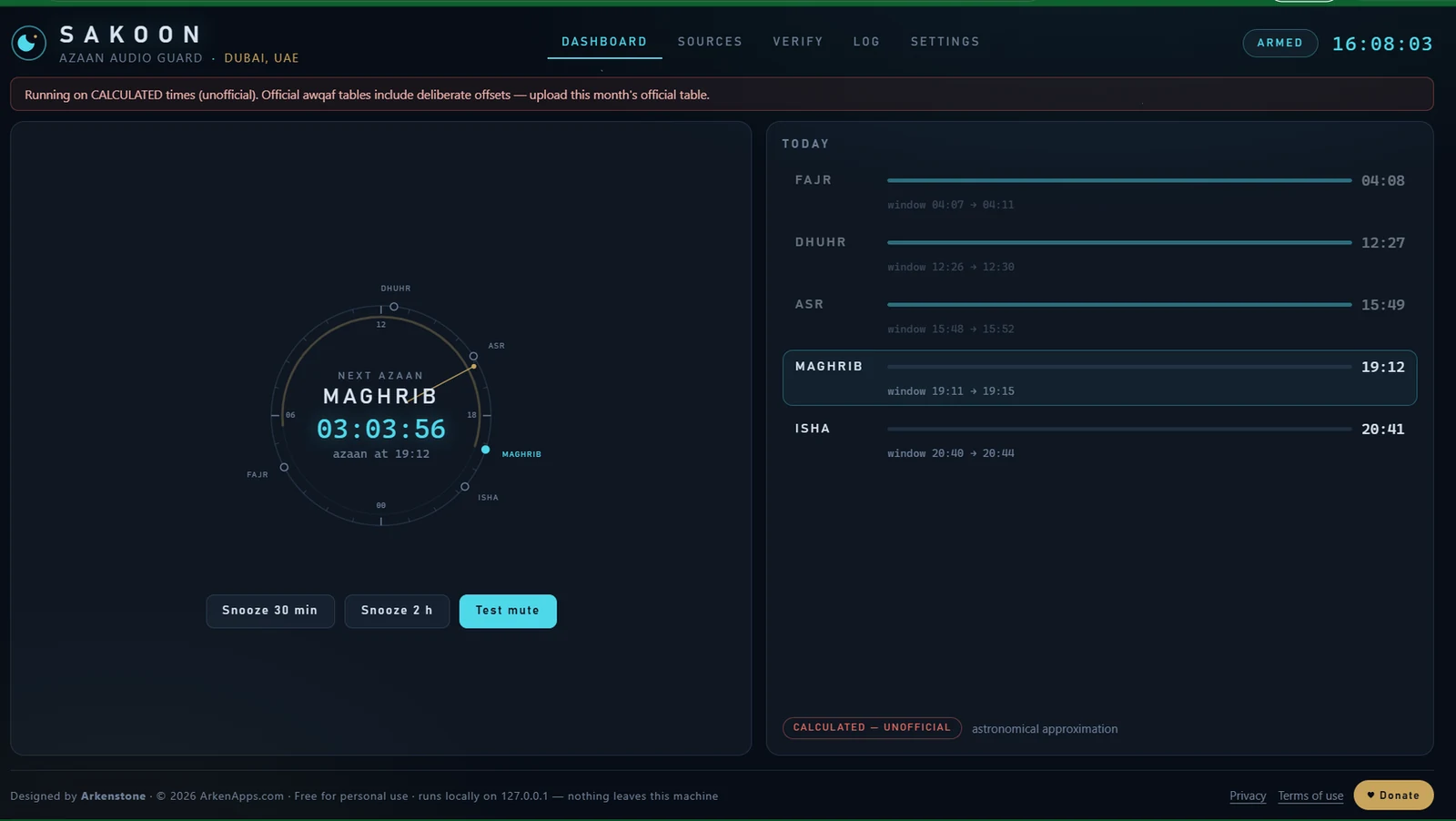
The 24-hour astrolabe dial plots the five prayers at their actual clock positions, while the surrounding views keep timing sources, verification, and audio settings visible.
Next azaan countdown, daily windows, snooze controls, and current timing-source status.
Sakoon treats audio management as a recovery problem, not a simple mute toggle.
Audio ramps down over the configured duration.
The previous mute and volume state is preserved.
Restore information is written before audio is changed.
A missed window is not intentionally replayed after wake.
Manual unmute or override causes Sakoon to stand down.
Sakoon's core operation does not depend on a cloud account, advertising network, analytics service, or remote prayer-time API.
The dashboard runs locally on 127.0.0.1.
No registration, login, profile, or identity is required.
No behavioural analytics or background tracking.
Timing files and settings remain under the user's control.
Presets make configuration easier, but uploaded official tables remain the preferred source whenever available.
Download the official ZIP package from the ArkenApps GitHub repository, extract it, and run Sakoon.exe. No installer, account, or administrator rights are required for normal use.
No. Sakoon is a convenience utility. The relevant awqaf authority and local mosque always take precedence, and Sakoon should never be the only prayer reminder.
Its preferred source is an official monthly CSV or Excel table uploaded by the user. Its astronomical fallback runs locally and is clearly identified as unofficial.
The application is designed to store recovery state before changing audio and to restore orphaned state after restart. Hardware and drivers can still fail, so reproducible restoration problems should be reported.
Normal use and the visible Windows Startup shortcut do not require administrator rights.
No. The GitHub repository is public for documentation, issue tracking, release notes, and official binary distribution. The Go source code is not published.
Sakoon is not a religious authority and cannot certify a prayer time. Official awqaf publications and your local mosque override every imported, displayed, or calculated value. Software can fail; never rely on Sakoon as your only prayer reminder.