
Arken Limit Monitor
A quiet ring gauge that shows your own Claude.ai usage — session & weekly limits — with reset countdowns and a heads-up before you hit the wall.
Unofficial community tool · not affiliated with Anthropic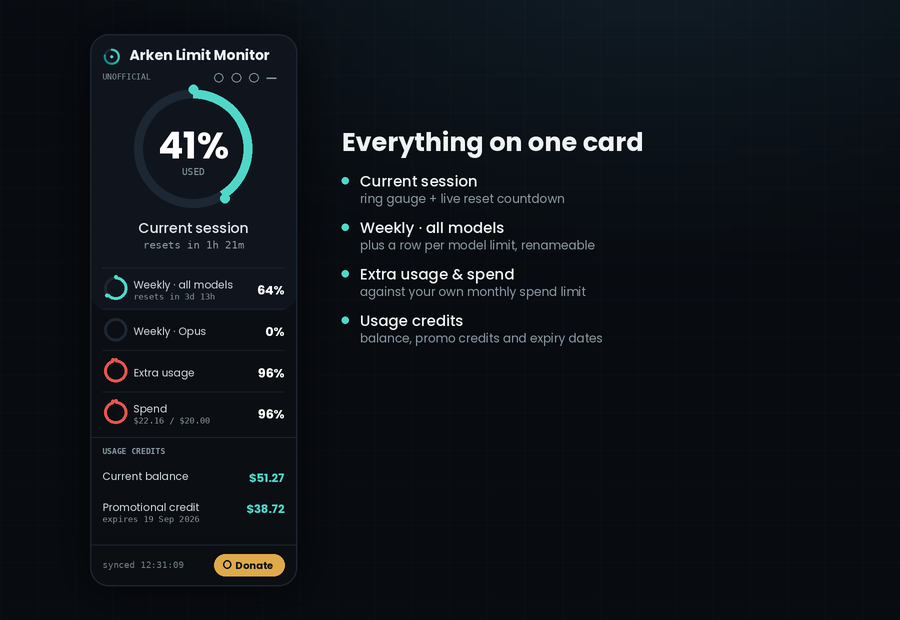
Know your runway at a glance
Reads only your own usage numbers, right on the page, so you never dig through settings.
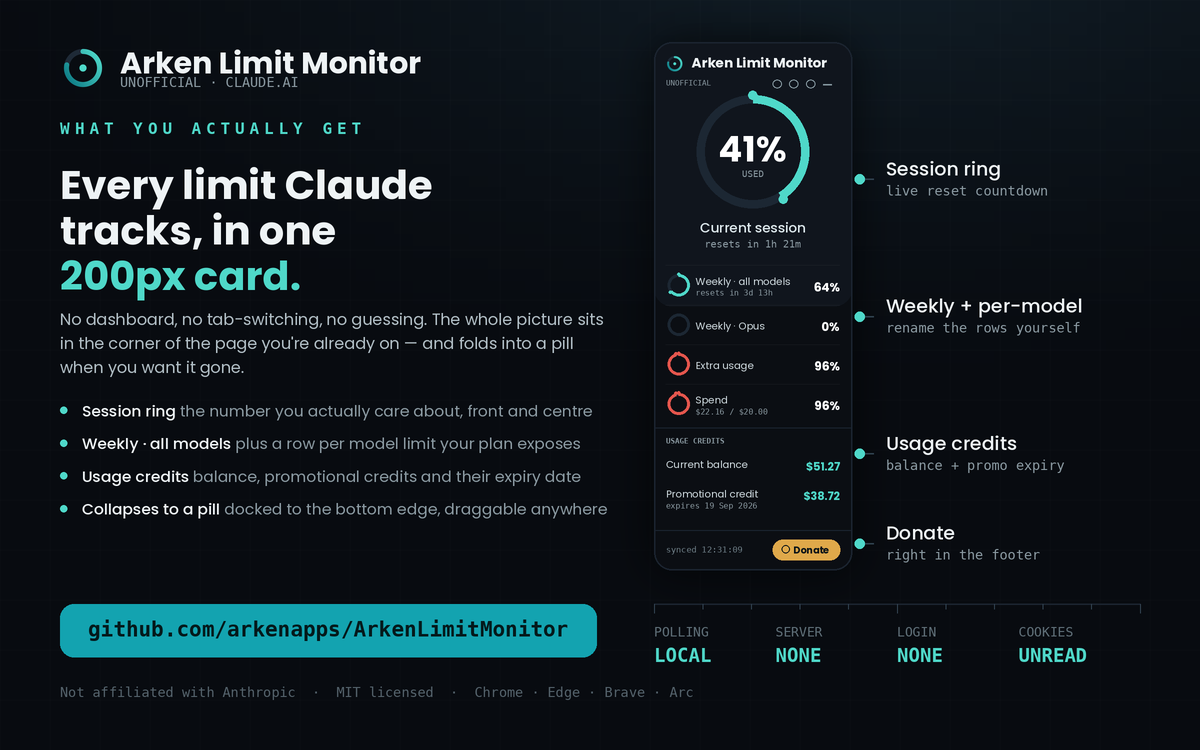
Ring gauge
Your current 5-hour session front and center, plus rows for weekly and per-model limits.
Reset countdowns
Live “resets in 3h 58m” timers so you know exactly when your window refreshes.
Threshold alerts
An optional desktop notification when you cross a level you set, so you can wrap up cleanly.
Usage credits
Current balance, promotional credits and their expiry, plus month-to-date spend against your limit.
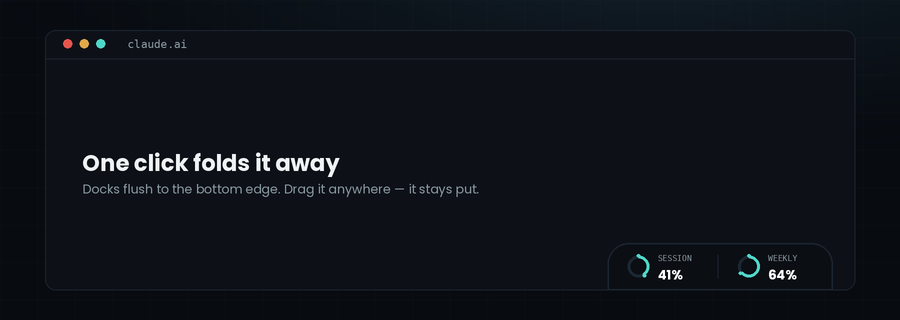
Docks and folds
Collapses to a pill flush with the bottom edge of the window. Drag it anywhere; the card expands upward.
Local & private
Runs entirely in your browser. No login, no external server, no cookies read.
What it looks like in use
Docked in the corner of the page you're already working on.
Install in a minute
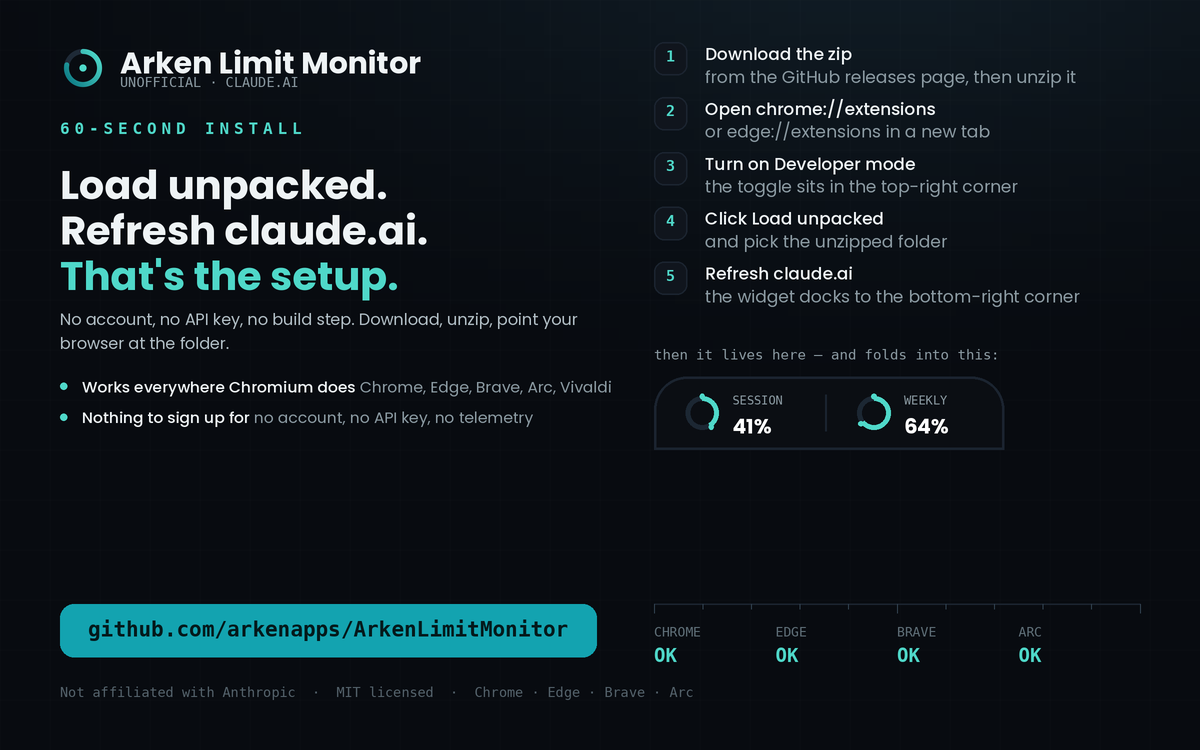
Works on Chrome, Edge, Brave and other Chromium browsers — Windows, macOS and Linux.
- Download ArkenLimitMonitor-extension.zip from the latest release or from arkenapps.com, and unzip it.
- Open
chrome://extensions(oredge://extensions). - Turn on Developer mode (top-right).
- Click Load unpacked and select the unzipped
ArkenLimitMonitorfolder. - Open or refresh claude.ai — the widget appears bottom-right.
Your data stays yours
This extension runs locally in your browser. It does not collect, sell, transmit, or store your Claude account data on any external server.
It does not require a username or password, does not automate login, and does not read or store authentication cookies. Settings live in your browser’s local storage.
It reads usage only from Claude’s own usage endpoint, using the session you’re already signed into, and refreshes only while the tab is open, at an interval you choose (default every 2 minutes).
Experimental: it depends on Claude’s current usage-page behaviour and may break if that changes.
The things people ask first
Does it read my conversations?
No. It requests one endpoint — the same usage figures the Claude settings page shows you — and renders them. Nothing else on the page is read, stored or sent anywhere.
Do I have to give it my password or an API key?
No. It uses the browser session you are already signed into. There is no login step, no token to paste, and no cookie is read or copied.
Will it break?
Possibly. It depends on an endpoint Anthropic does not document, so a change on their side can stop it working until it is patched. It fails quietly and shows the last known numbers rather than breaking the page.
Is it affiliated with Anthropic?
No. It is an independent community tool. “Claude” is a trademark of Anthropic and is used here only to describe what the extension is compatible with.
Why isn't it in the Chrome Web Store yet?
A store listing is in progress. Until it is published, the unpacked install above is the way in — and it is the same code either way, readable in full on GitHub.
Buy me a coffee ☕
Free and open source. If it saves you from a mid-task cutoff, a small tip keeps it maintained. No nags, no locked features.
Crypto







Always confirm the network and address in your own wallet before sending. Crypto transfers can’t be reversed.